Well, my third post today, told you I'd be back, and well now I am. With much better tools for the job.
I currently have:
*Galaxy s3 Tmobile unlocked
*Acer a100 tablet
*Huawei Ideos, the original one on tmobile no sim.
*Hp Pavilion dm4 variant.
*asus EEEpc 2009 variant
*Broken Motorala fire (Lol softbricked)
What this means is that I will be posting more reviews, more stories and more everything.
Sunday, November 18, 2012

Lg optimus one hacking
Many people reading this blog may never have heard of the lg optimus one series. Heck, many of you don't even care about it, but i do, as it has been my phone for approx. 2 years now, and it has served me well. I own the t-mobile variant of the optimus, known as the optimus t, and it comes with the old baseband version of .25 and a stock rom of android 2.2 with customizations by both t-mobile and lg. I used this stock rom for a while until proceeding to cyanogenmod 7 with baseband fix, then Cm 9, then a bunch of cm7 based roms until finally settling down onto cm10. I will be posting rom reviews and other things for this phone but sadly will not be able to review new ones as I have purchased a galaxy s3 and have passed down my optimus t. I will however be posting reviews of the Huawei Ideos roms as I have recieved one as a gift, anyway back on topic. The Lg o1 is a great phone and I was sad to see it go, but with its weak processor and touch lag issues I thought it really was time for an upgrade, and well the s3 is a perfect upgrade.
Windows 8
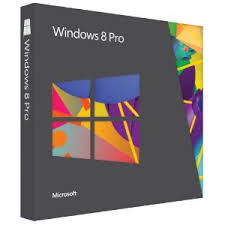
So yesterday I jumped the gun and went out and bought Windows 8. After 30 minutes of online research I began to install it on my Pc the Hp pavillion dm4 which has 8gb of ram an intel i5 and beats audio.
I went for the keep all data install option, as I had many files that I could not replace, and that I didn't want to waste my time backing up. Anyway As I have noticed, from other reviews and my own experiences, a clean install of windows 8 should take you around 10 minutes from the beginning of the install to the end, keeping files only should take around 20 minutes and keeping everything took me 30 minutes. As my settings and files transferred I wondered how the new os would play with Hp's add-ons, and it was good news and bad news. I had to uninstall my intel wifi and bluetooth drivers, so if your computer boasts intel wifi, uninstall it before installing windows 8. The good news was that I still have my beats audio software, hp's help center and all other improvements, which are good especially if you aren't a power user. If you are considering upgrading. I must warn you though, if you want to upgrade, do it now because the price will rise from 66.99$ to around 200$. Anyway, time to jump into the review. Windows 8 runs great on both touchscreen and non-touchscreen devices. The Metro apps available from the store run great, as well as the classic windows 7 apps. I saw minimal lag on windows 7 apps though, by which I mean they ran slower than on windows 7. Unnoticable though. Also indie hit "Mineraft" A game that the creator refuses to certify for win8 works perfectly, so if that is your reason to not update, go ahead and update. The Metro and classic interfaces work together but the multitasking features available do not work with classic apps. The Metro ui is obviously made for a touchscreen, but functions fairly well with a mouse. I miss the Start Screen but will probably get used to the new one also, gestures have been bumped up to give Osx a run for its money but Overall I give Windows 8 an 8 because it isn't really as good as it could have been but It's a welcome update over windows 7.
I went for the keep all data install option, as I had many files that I could not replace, and that I didn't want to waste my time backing up. Anyway As I have noticed, from other reviews and my own experiences, a clean install of windows 8 should take you around 10 minutes from the beginning of the install to the end, keeping files only should take around 20 minutes and keeping everything took me 30 minutes. As my settings and files transferred I wondered how the new os would play with Hp's add-ons, and it was good news and bad news. I had to uninstall my intel wifi and bluetooth drivers, so if your computer boasts intel wifi, uninstall it before installing windows 8. The good news was that I still have my beats audio software, hp's help center and all other improvements, which are good especially if you aren't a power user. If you are considering upgrading. I must warn you though, if you want to upgrade, do it now because the price will rise from 66.99$ to around 200$. Anyway, time to jump into the review. Windows 8 runs great on both touchscreen and non-touchscreen devices. The Metro apps available from the store run great, as well as the classic windows 7 apps. I saw minimal lag on windows 7 apps though, by which I mean they ran slower than on windows 7. Unnoticable though. Also indie hit "Mineraft" A game that the creator refuses to certify for win8 works perfectly, so if that is your reason to not update, go ahead and update. The Metro and classic interfaces work together but the multitasking features available do not work with classic apps. The Metro ui is obviously made for a touchscreen, but functions fairly well with a mouse. I miss the Start Screen but will probably get used to the new one also, gestures have been bumped up to give Osx a run for its money but Overall I give Windows 8 an 8 because it isn't really as good as it could have been but It's a welcome update over windows 7.
Subscribe to:
Posts (Atom)